
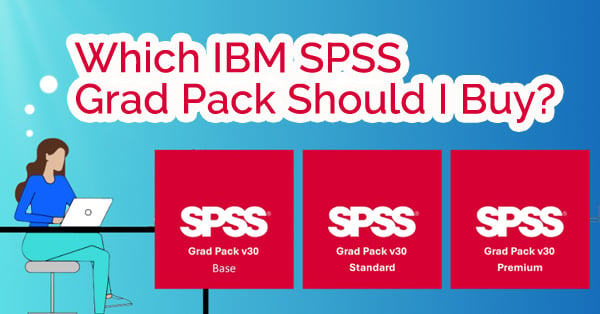
 Quick Summary: Not sure which IBM SPSS Grad Pack is right for your course? This guide compares the Base, Standard, and Premium student versions to help you choose the best one for your needs.
Are you a student heading into a stats-heavy semester and wondering which IBM SPSS Statistics student version to buy? You’re not alone. With back-to-school season approaching, now’s the time to figure out which SPSS Grad Pack best fits your academic needs and your budget.
Whether you’re pursuing psychology, sociology, economics, or data science, choosing the right IBM SPSS software is key to your success in class. Let’s break it down.
What is IBM SPSS Statistics?
IBM SPSS Statistics is a powerful software suite used for data analysis, statistical modeling, and predictive analytics. It’s widely used in education and research, especially in social sciences, health sciences, and business.
As a student, you can access discounted versions of SPSS through Studica, which offers three academic editions known as Grad Packs. The IBM SPSS Statistics Grad Pack and Faculty Pack were created specifically to meet the needs of students and educators, helping you develop future-ready statistical skills and strengthen your analytics abilities.
Overview: SPSS Student Versions Available
 Studica offers the following SPSS Grad Pack student versions, each with a different set of features:
- SPSS Grad Pack Base – Includes core tools for basic statistics.
- SPSS Grad Pack Standard – Adds Regression and Advanced Statistics.
- SPSS Grad Pack Premium – Includes all features, including Neural Networks, Forecasting, Conjoint, and more.
🔍 Note: Each level includes everything from the version below it. For example, the Premium Grad Pack offers all of the features from both Standard and Base.
Why Choosing the Right Version Matters
Here’s why choosing the right version is so important: once you select your Grad Pack, you can not upgrade feature-by-feature. That means if your class requires a specific tool, like Regression or Decision Trees, and you only purchased the Base version, you’ll need to buy a new license entirely.
Helpful Tips:
- Be sure to check your course syllabus to determine which SPSS features are required. If that’s not clear, reach out to your professor or teaching assistant.
- If your professor mentions logistic regression, multivariate analysis, or neural networks, the Base Pack won’t be sufficient.
- Standard is the safest choice for most graduate students.
- Premium is ideal for advanced data science or predictive modeling courses.
SPSS Grad Pack Feature Comparison Table
| Feature | SPSS Grad Pack Base  |
SPSS Grad Pack Standard  |
SPSS Grad Pack Premium  |
|---|---|---|---|
| Data Preparation | ✔ | ✔ | ✔ |
| Bootstrapping | ✔ | ✔ | ✔ |
| Advanced Statistics | ✔ | ✔ | |
| Regression | ✔ | ✔ | |
| Forecasting | ✔ | ||
| Decision Trees | ✔ | ||
| Neural Networks | ✔ | ||
| Complex Samples | ✔ | ||
| Conjoint Analysis | ✔ | ||
| Exact Tests | ✔ | ||
| Missing Values | ✔ | ||
| Categories | ✔ |
For a full list, view the IBM SPSS Grad Pack Feature Comparison.
How to Decide Which SPSS Version Is Right for You
If you’ve reviewed the feature comparison but are still unsure what your course requires, check your syllabus or ask your instructor before purchasing. It’s much easier to pick the right version up front than to switch later.
Based on our experience, SPSS Grad Pack Standard is generally the safest option. Most students who end up needing to upgrade mid-semester started with Base and realized they needed features only available in Standard.
Frequently Asked Questions (FAQ)
Q: What is the IBM SPSS Grad Pack?
A: The IBM SPSS Grad Pack is a discounted student version of IBM SPSS Statistics software. It’s available in three editions (Base, Standard, and Premium), each offering different features designed for academic use.
Q: Which SPSS Grad Pack is best for most students?
A: SPSS Grad Pack Standard is typically the best choice for graduate students. It includes commonly required features like Regression and Advanced Statistics that are often used in coursework.
Q: Can I upgrade from SPSS Base to Standard later?
A: Unfortunately, no. SPSS Grad Packs can’t be upgraded feature-by-feature. If you start with the Base version and later need features like Regression, you’ll need to purchase a new license. That’s why it’s important to choose the right version from the start.
Q: Is SPSS compatible with both Mac and Windows?
A: Yes, SPSS Grad Packs are available for both Mac and Windows. Be sure to check the system requirements before downloading to ensure compatibility.
Q: Where can I buy IBM SPSS for students with an academic discount?
A: You can purchase discounted IBM SPSS Grad Packs through Studica. Visit www.studica.com/ibm-spss for options and pricing.
Ready to Dive into Data this Semester?
Choosing the right SPSS student software isn’t just about finding the lowest price; you need to confirm the version includes the tools required for your coursework. Save yourself time, stress, and money by making an informed choice now. This IBM SPSS feature comparison is designed to help you decide.
✅ Base Student Grad Pack: Basic stats courses
✅ Standard Student Grad Pack: Best for most grad students
✅ Premium Student Grad Pack: Advanced or specialized analytics needs
Share this Post