
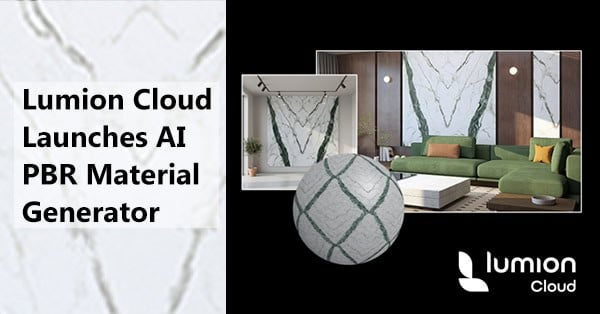
Quick Summary: Lumion Cloud just got even smarter for architects. With the new AI PBR Material Generator, you can turn real-world photos into seamless, render-ready PBR (physically based rendering) materials in minutes.
What is the AI PBR Material Generator in Lumion Cloud?
The AI PBR Material Generator is the latest feature in Lumion Cloud, the browser-based collaboration platform for architects. With it, you can transform photos of real-world textures, such as bricks, wood, stone, fabric, or concrete, into fully usable PBR material maps. Use these materials directly in Lumion Pro to create photorealistic visuals in seconds; no guesswork required.
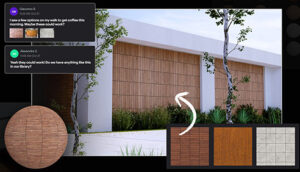 Using the AI PBR Material Generator is simple:
- Capture a real-world reference with your phone or camera.
- Upload it to Lumion Cloud and select the material type.
- Generate seamless textures and maps instantly.
- Apply the material directly in Lumion Pro.
This tool is perfect for architects who want to work from real references, respond quickly to client input, and maintain a consistent workflow.
Why Architects Need AI-Powered Material Tools
Creating high-quality renders is one part of the design process. Ensuring materials reflect reality and client vision is another. Common challenges include:
- Sourcing textures from reference images.
- Recreating seamless materials manually.
- Ensuring materials integrate smoothly into 3D projects.
The AI PBR Material Generator solves these challenges, producing accurate, tileable PBR materials in seconds. Integrated with Lumion Cloud’s collaboration tools, it provides a centralized space to manage, review, and now create project materials seamlessly. With these challenges in mind, here’s how you can go from a photo to a fully usable PBR material in just a few steps.
How Lumion Cloud Turns a Photo to PBR in Five Steps
- Upload: Capture any texture you like and upload it to Lumion Cloud through the AI Material Generator.
- Refine: Crop precisely and select the material type. Options include Bricks, Concrete, Fabric, Wood, Stone, or Other.
- Generate: Click Generate to create seamless PBR textures, including Albedo, Normal, Height, Roughness, and Metalness maps. Preview your material in 3D before saving.
- Save and Download: Once satisfied, save the material and download all PBR maps for use in Lumion Pro.
- Import and Apply: Bring the generated maps into Lumion Pro and apply them directly to your projects, testing under different lighting and surfaces.
Lumion Cloud: More Than Material Generation
Lumion Cloud remains a visual-first collaboration hub for all your project visuals. Included with every Lumion subscription, it provides:
- Seamless render uploads from Lumion Pro, Lumion View for SketchUp, Lumion View for Revit, and Lumion View for Archicad.
- Intelligent collaboration tools for feedback and approvals.
- AI-powered tools, including the new Material Generator and updated Image Upscaler.
- Free content packs to enrich your scenes.
The AI PBR Material Generator was developed from community feedback, making it easier than ever to turn inspiration, site references, or client-provided photos into materials you can use immediately.
Frequently Asked Questions
What types of materials can I create?
You can generate textures for Bricks, Concrete, Fabric, Wood, Stone, and more.
Do I need Lumion Pro to use the Material Generator?
Lumion Cloud is browser-based, so generating materials requires no installation. Applying them is simple in Lumion Pro.
Is it included with all subscriptions?
Yes, Lumion Cloud and the AI PBR Material Generator are included with Lumion Studio, Lumion Pro, and Lumion View subscriptions.
Can I use client photos or site images?
Absolutely. The AI PBR Material Generator is designed to work with real-world references for faster, more accurate results.
Get Started Today
The AI PBR Material Generator makes it easy to turn inspiration into photorealistic materials. Capture a reference, generate a material, and bring it straight into Lumion Pro to see your designs come to life. Start experimenting today with a Lumion Pro trial.
👉 Start experimenting with Lumion Cloud and the AI PBR Material Generator today by requesting your Lumion Pro 2026 Trial (for businesses in the USA only).
Share this Post