
Quick Summary: Lumion Pro 2026.1 introduces smarter ways for architects and designers to build on their best work instead of starting from scratch. Completed scenes become reusable foundations, making it easier to maintain consistent visual quality, streamline workflows, and prepare projects for presentation faster. Save project templates, effect presets, object sets, and material styles to create reliable starting points for future designs.
New features include ray-traced panoramas that can be shared as immersive VR experiences through Lumion Cloud, the Pattern Editor for customizable materials, expanded parallax interiors, and new assets. Together, these additions help designers create, reuse, and present their work more efficiently.
Build on Your Best Work with Lumion Pro 2026.1
Lumion Pro is professional 3D rendering software that helps architects and designers transform CAD and BIM models into photorealistic images, animations, and immersive presentations. While Lumion Pro 2026.0 focused on accelerating the journey from model to presentation-ready visualization, Lumion Pro 2026.1 is designed to help you build on your best work.
 Instead of recreating the same project setups, visual styles, and scene elements with every new design, Lumion Pro 2026.1 introduces new ways to save, reuse, and refine the work you’ve already done. From project templates and effect presets to object collections and material styles, the update helps reduce repetitive setup while maintaining consistency across projects.
The result is a faster, more efficient workflow that lets you spend less time rebuilding familiar scenes and more time refining designs, exploring ideas, and delivering compelling visualizations to clients. While the update focuses on workflow efficiency, it never comes at the expense of visual quality. Ray-traced panoramas, expanded parallax interiors, and improved material controls help ensure every presentation is as compelling as it is efficient.
What’s New in Lumion Pro 2026.1?
Lumion Pro 2026.1 introduces new tools that help architects work more efficiently, maintain consistent presentation quality, and create richer architectural visualizations with less repetitive setup.
- Reuse your best work: Save project templates, effect presets, object sets, and material styles to reduce repetitive setup.
- Deliver consistent presentations: Create ray-traced panoramas and immersive VR experiences through Lumion Cloud while maintaining visual quality.
- Create richer environments: Customize materials with the Pattern Editor, expand parallax interiors, and take advantage of new assets.
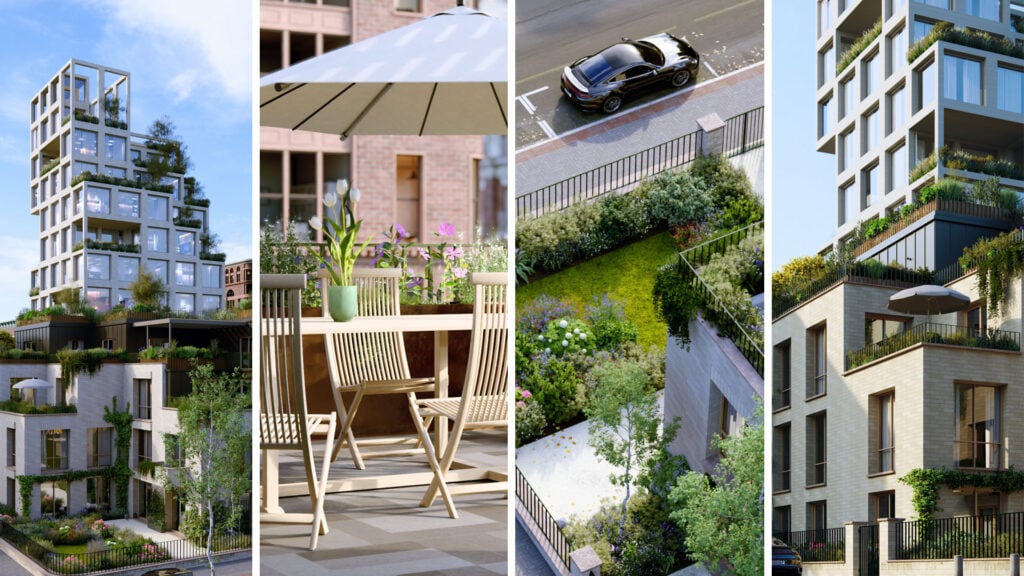
Lumion Pro 2026.1 Feature Highlights
The following features work together to reduce repetitive tasks, improve consistency across presentations, and give architects more control over how they build and present every project.
| Feature / Update | Benefit | How It Helps |
|---|---|---|
| Custom Project Templates | Faster project setup | Save complete scene files as templates and reuse preferred setups, effects, layers, and assets to build on your best work for future projects. |
| Custom Effect Presets | Consistent visual style | Save custom effect stacks as named presets with thumbnails and apply your preferred rendering style across scenes and projects. |
| Saved Object Sets | Quicker asset placement | Store groups of up to 20 library objects and quickly access frequently used asset combinations during placement workflows. |
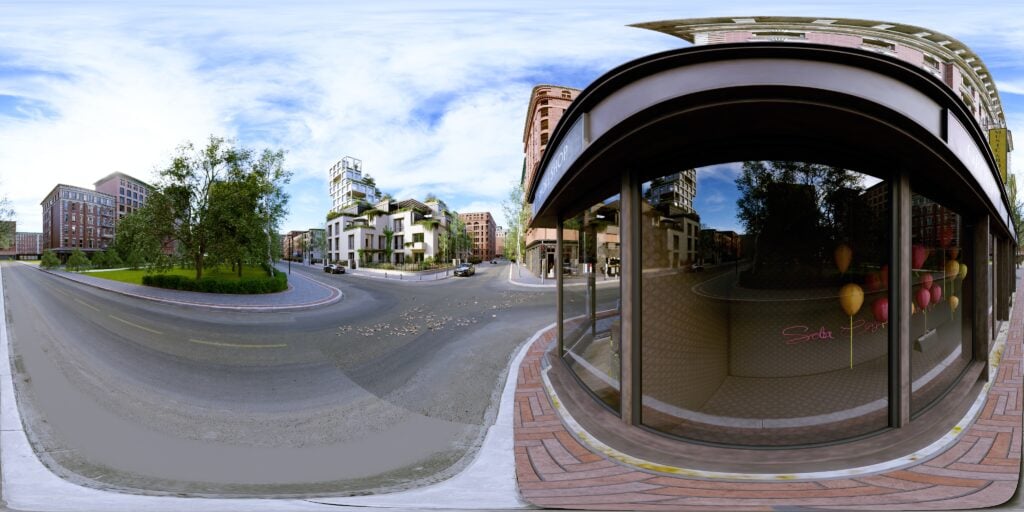
| Ray-Traced Panoramas | Higher-quality panoramas | Create photorealistic 360° panoramas with ray-traced lighting, reflections, shadows, and atmosphere for more consistent presentation quality. |
| VR Panoramas in Lumion Cloud | Immersive client presentations | Upload panoramas to Lumion Cloud and share VR walkthrough experiences through a link or QR code without requiring client software installation. |
| Pattern Editor | Greater material control | Apply tile, brick, paving, and geometric patterns directly to seamless materials while adjusting width, length, rotation, and offset. |
| Custom & Expanded Parallax Interiors | Richer interior scenes | Add interior depth with expanded parallax options, new residential and commercial designs, and custom EXR uploads. |
| Asset Library Updates | More design variety | Add new and refreshed assets, materials, and parallax interiors to create richer architectural scenes. |
Lumion Pro + Lumion Cloud: From Render to Presentation
Creating a compelling architectural visualization is only part of the process. Sharing it with clients, gathering feedback, and presenting designs in an engaging way are just as important.
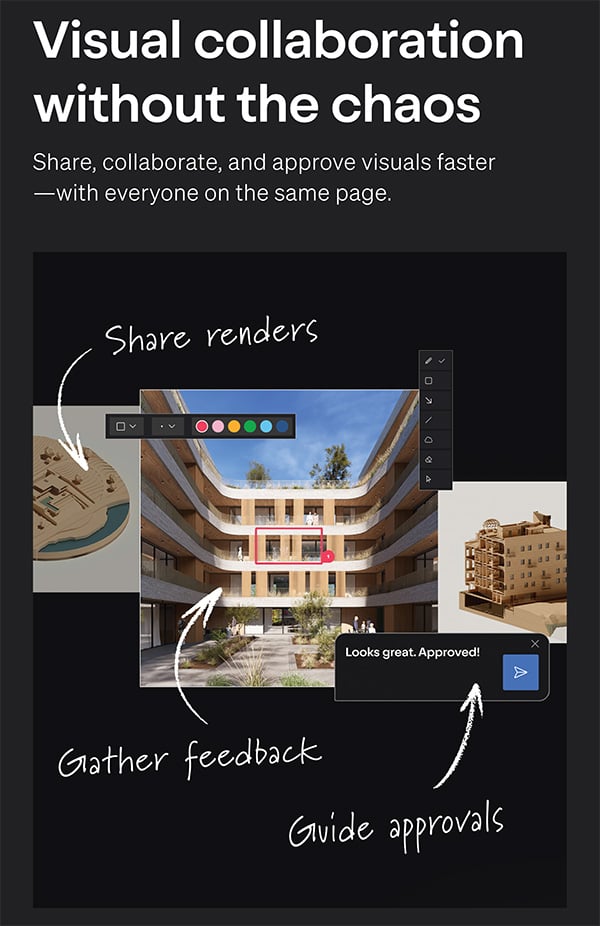
Included with every Lumion Pro subscription at no additional cost, Lumion Cloud extends your workflow beyond rendering by making it easy to share, review, and present your projects online. With Lumion Pro 2026.1, ray-traced panoramas can now be uploaded directly to Lumion Cloud and viewed as immersive VR experiences through a simple shared link or QR code—no specialized software required for your clients.
Whether you’re presenting a design, collecting feedback, or seeking project approval, Lumion Pro and Lumion Cloud work together to help you move seamlessly from visualization to collaboration.
| Tool | Purpose | Key Benefit |
|---|---|---|
| Lumion Pro | Professional 3D rendering software for creating images, animations, and panoramas. | Create stunning, presentation-ready architectural visualizations. |
| Lumion Cloud | Online platform for sharing, reviewing, and presenting Lumion projects. | Share designs, collect feedback, and deliver immersive VR experiences from a single link. |
Because Lumion Cloud is included with every Lumion Pro subscription, architects can begin sharing interactive presentations immediately, helping clients better understand designs, provide feedback faster, and make more informed decisions throughout the project lifecycle. Learn More About Lumion Cloud
Frequently Asked Questions
Is Lumion Pro 2026.1 available now?
Yes. Lumion Pro 2026.1 is available for supported license types, including named-user licenses, floating seat licenses, and free trials.
What is the focus of Lumion Pro 2026.1?
Lumion Pro 2026.1 focuses on helping architects reuse completed work, maintain presentation consistency, and create stronger starting points for future projects.
What are Ray-Traced Panoramas?
Ray-Traced Panoramas are 360° views created with ray-traced lighting, reflections, shadows, and atmosphere for improved visual fidelity.
Can clients view Lumion panoramas in VR?
Yes. Panoramas created in Lumion Pro can be uploaded to Lumion Cloud and viewed through compatible VR headsets using a shared link or QR code.
What is the Pattern Editor?
The Pattern Editor allows users to apply and customize tile, brick, paving, and geometric patterns directly to seamless materials.
What are Custom Project Templates?
Custom Project Templates allow users to save complete project scenes and reuse them as starting points for future visualizations.
What are Saved Object Sets?
Saved Object Sets allow users to store groups of up to 20 frequently used library objects for faster placement.
Is Lumion Cloud included with Lumion subscriptions?
Yes. Lumion Cloud is included with every subscription and provides tools for sharing, reviewing, and presenting Lumion projects.
Do I need a separate Lumion Cloud subscription?
No. Lumion Cloud is included with every Lumion Pro subscription.
Carry Your Best Work Forward with Lumion Pro 2026.1
Architectural visualization is built on experience. Every successful project creates workflows, styles, and setups worth preserving.
Lumion Pro 2026.1 helps architects build on their best work with reusable templates, saved effects, object sets, improved material controls, ray-traced panoramas, and immersive VR presentations through Lumion Cloud. Experience how Lumion Pro 2026.1 can streamline your visualization workflow with a free Lumion Pro trial (for businesses in the USA only).
By reducing repetitive setup and improving consistency across every presentation, Lumion Pro 2026.1 helps architects spend more time designing, refining ideas, and delivering exceptional visualizations and less time rebuilding the same workflows.
Related Articles
- Lumion Cloud Launches AI PBR Material Generator
- Lumion Pro 2026 Released: 3D Rendering Software for Architects
- Lumion Cloud: Visual Collaboration Software for Architects
- What is Lumion Software Used for?
Share this Post