
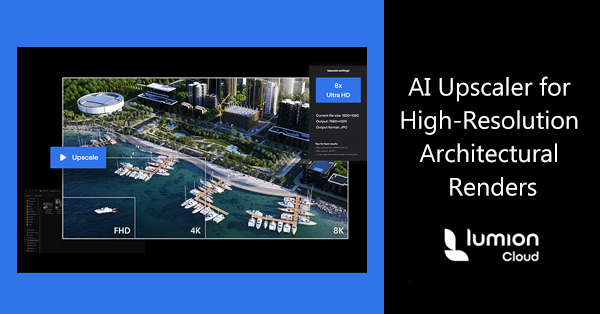
Quick Summary: Architects and designers often require high-resolution architectural renders quickly for client presentations, large-format prints, or 8K+ displays. Lumion Cloud’s AI Upscaler transforms low-resolution images into ultra-high-resolution outputs in seconds. Combined with Lumion View and Lumion Pro, it supports every stage of the design workflow from early sketches to final presentation-ready visuals.
High-Resolution Architectural Renders Faster
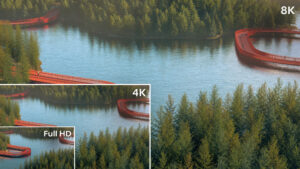 In architectural design, time is always a critical factor. Waiting for high-resolution renders can slow project delivery, delay client approvals, and limit flexibility to explore design alternatives. Lumion Cloud’s new AI Upscaler addresses this challenge by converting low- or mid-resolution images into crisp, detailed visuals instantly.
Whether preparing a quick concept presentation or a polished 8K+ render for print, the AI Upscaler provides a reliable solution without hours of waiting or expensive re-rendering.
How Does AI Upscaler Work?
Using the AI Upscaler in Lumion Cloud is straightforward. Architects and designers can upload a low- or mid-resolution render, and the AI enhances it automatically, producing high-resolution outputs in seconds. You can choose from 2x, 4x, or 8x upscaling depending on your needs, whether it’s for a quick presentation or a large-format print.
Early-stage designs benefit from Lumion View, a lightweight plugin that provides real-time visualization directly inside your modeling software. It gives instant feedback on your models so you can refine designs quickly without switching tools. When it’s time for polished, photorealistic visuals, Lumion Pro provides full control over lighting, materials, context, and effects to ensure every final image is client-ready.
By combining these tools, the AI Upscaler becomes part of a seamless workflow: begin with early-stage visualization in Lumion View, enhance designs in Lumion Pro, and finalize high-resolution outputs with the AI Upscaler in Lumion Cloud. This approach saves time, reduces repeated rendering, and delivers professional-quality results. For projects that cover both early-stage and high-end visualizations, Lumion Studio combines Lumion View and Lumion Pro in one package, supporting the entire workflow from concept to final presentation.
AI Upscaler Benefits Architects
Using Lumion Cloud, along with the AI Upscaler, Lumion View, and Lumion Pro, architects can streamline their workflow and deliver stunning visuals with ease. This combination of tools provides several key benefits:
✅ Saves hours on high-resolution rendering
✅ Visualizes early-stage designs instantly
✅ Produces polished, client-ready outputs for presentations or print
✅ Streamlines collaboration across teams and with clients
Together, these capabilities help architects maintain creative momentum, reduce bottlenecks, and keep both teams and clients aligned throughout the project.
Frequently Asked Questions
Do I need a Lumion account to use the AI Upscaler?
Yes. You’ll need a Lumion Cloud account to access the AI Upscaler. Creating an account is free and quick.
What upscaling options are available?
The AI Upscaler supports 2x, 4x, and 8x resolution enhancement for any uploaded image, suitable for presentations, print, or 8K+ displays.
Can I use this workflow for early-stage and final designs?
Absolutely. Lumion View is ideal for fast, lightweight early-stage visualization, while Lumion Pro handles polished, photorealistic renders. The AI Upscaler then creates high-resolution outputs ready for clients.
How can I access Lumion for my business?
Lumion is available to businesses in the USA through Studica.
Are free trials available?
Yes. Qualified businesses in the USA can request a free trial to explore Lumion’s tools before purchasing.
What is Lumion Studio, and how does it help?
Lumion Studio combines both Lumion View and Lumion Pro in one package, supporting projects from early-stage design through to high-resolution final renders. It provides a connected workflow for faster, more efficient visualization.
Conclusion
Architects and designers can now create high-resolution architectural renders faster than ever, moving seamlessly from early-stage sketches to client-ready visuals. By combining Lumion View, Lumion Pro, and Lumion Cloud’s AI Upscaler, every stage of the workflow becomes faster, more efficient, and fully connected.
Lumion is available to businesses in the USA through Studica, and qualified businesses can request a free trial to experience these tools firsthand. Explore Lumion’s connected workflow today and see how it can streamline your next project while delivering stunning, high-resolution visuals for clients and stakeholders.
Share this Post