
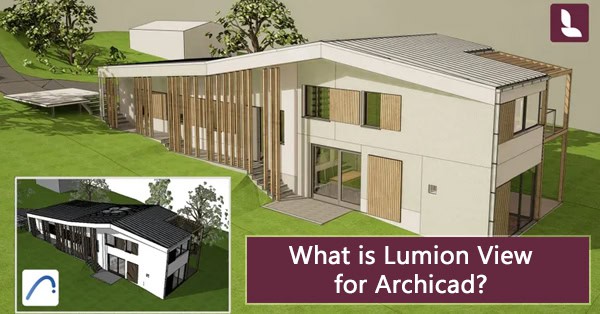
Quick Summary: Lumion View for Archicad is a lightweight plugin that transforms your Archicad workflow. With real-time ray-traced views, immersive navigation, and instant 4K rendering, architects can explore lighting, materials, and design intent instantly, without leaving Archicad.
Architects spend countless hours switching between tools to see how their designs look in context. Lumion View for Archicad removes that barrier, letting you evaluate design choices, experiment with materials, and study lighting effects, all in real time, directly within Archicad.
Why Use Lumion View for Archicad?
 Lumion View for Archicad extends Archicad’s precision with the power of real-time visualization. By staying inside your Archicad environment, you can see immediate changes to your model, test materials, explore lighting effects, and refine design intent in seconds.
Whether you’re studying daylight impacts, experimenting with facade materials, or creating quick conceptual diagrams, Lumion View allows you to stay immersed in the creative process. No waiting, no exporting, just instant visual feedback as you design.
Key Benefits of Lumion View for Archicad
With Lumion View for Archicad, you can:
- Adjust sunlight and shadows by changing time of day or season in real time
- Test Archicad materials and finishes with accurate ray-traced reflections
- Create stylized diagrams and visuals using built-in presets
- Explore your model at a true 1:1 scale for immersive walkthroughs
- Capture instant 4K renders to review or share design moments
It’s the fastest way to bridge the gap between concept and communication, helping your clients see your ideas as you design.
Lumion Archviz Offerings
Lumion products are designed to enhance architectural visualization at every stage of the design process. Together, they form a complete ecosystem from concept to client presentation. Lumion View is now available for Archicad, joining existing support for Revit and SketchUp, with more CAD and BIM platforms planned for future releases.
| Product | Ideal For | Key Features | Workflow Stage |
|---|---|---|---|
| Lumion View for Archicad
|
Architects and designers working in Archicad | Real-time visualization inside Archicad, instant feedback, realistic lighting, fast 4K renders | Early design & review |
| Lumion View for Revit
|
Architects and designers working in Autodesk Revit | Real-time visualization inside Revit, instant feedback, realistic lighting, fast 4K renders | Early design & review |
| Lumion View for SketchUp
|
Architects and designers using SketchUp for concept development | Interactive design exploration, quick visual feedback, seamless SketchUp integration | Concept & refinement |
| Lumion Pro
|
Architects, designers, and visualization specialists creating high-quality presentations | Cinematic lighting, realistic materials, detailed environments, and animation tools | Final presentation |
| Lumion Cloud
|
Architects, small firms, and teams organizing and sharing visual assets | Centralized assets, renders, panoramas, videos, and PDFs | Collaboration & review |
| Lumion Studio
|
Individuals or teams managing complete visualization workflows | Complete 3D rendering software bundle with Lumion Pro and Lumion View licenses | Full project lifecycle |




Frequently Asked Questions
What is Lumion View for Archicad used for?
Lumion View for Archicad allows architects and designers to visualize and render their models in real time with realistic lighting, shadows, and materials without exporting to another program.
Is there a Lumion View for other platforms?
Yes. Lumion View is also available for Revit and SketchUp, with additional CAD and BIM support coming soon.
Can I use Lumion View for Archicad without Lumion Pro?
Yes. Lumion View runs independently in Archicad, giving you real-time feedback. Later, you can open projects in Lumion Pro 2026 for photorealistic renders and advanced presentations.
Can Lumion View create photorealistic renders?
Lumion View focuses on real-time visualization and fast design feedback. For photorealistic rendering and cinematic lighting, use Lumion Pro.
Where can I download Lumion View for Archicad?
After purchasing a subscription, log in to your Lumion Account. The Archicad plugin installer will be available for download directly, making setup quick and easy.
How can businesses purchase Lumion software from Studica?
Studica offers 1-year and 3-year subscriptions for Lumion Studio, Lumion Pro, and Lumion View for businesses in the USA. Qualified organizations can also place purchase orders with net 30 payment terms upon approval.
Get Started with Lumion
Ready to bring your Archicad designs to life? Studica is the authorized commercial Lumion reseller in the USA, offering flexible subscriptions for Lumion Studio, Lumion Pro 2026, and Lumion View. Whether refining concepts, creating client presentations, or producing quick renders, Lumion helps you communicate your ideas beautifully, without breaking your creative flow.
👉 Explore Lumion architectural visualization and 3D rendering solutions and learn more at www.studica.com/Lumion.
Share this Post